HTML title attribute
title
1. HTML title attribute specifies the advisory information about an HTML element.
2. When used, text written as a value of title attribute is shown as a tooltip, in most but not in all, browsers.
Syntax
<ElementName title="text......" >text content</ElementName>
Where ElementName is any supported HTML element.
Type of values
Type of value of title attribute is text.
Value
The value of title attribute is as supplied by the author of the web document.
Default Value
There is no default value of title attribute.
Example of using title attribute
<!DOCTYPE HTML PUBLIC "-//W3C//DTD HTML 4.01//EN" "http://www.w3.org/TR/html4/strict.dtd">
<html>
<head>
<meta http-equiv="Content-Type" content="text/html; charset=iso-8859-1">
<title>html title attribute example - HTML tutorial - w3resource </title>
</head>
<body>
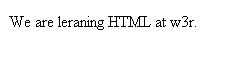
<p>We are leaning HTML at <abbr title="w3resource">w3r</abbr>.</p>
</body>
</html>
Result
 View this example in a separate browser window
Pictorial of how it looks in Firefox 3.5.15
Pictorial of how it looks in Internet Explorer 8
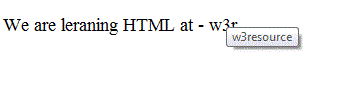
Pictorial of how it looks in Opera 10.63
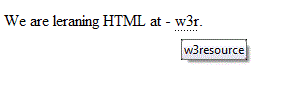
Pictorial of how it looks in Safari 5.0.1
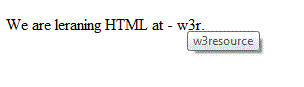
Pictorial of how it looks in Google Chrome 7.0.517.44
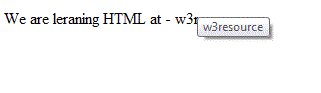
Pictorial of how it looks in Internet Explorer 6
Special usage of title attribute with link element
If used with link element, the value of the title attribute specifies about the link. This is useful to help search engines to index a web page.
For example, in the following code, the value of the title attribute (of the link element, placed in the head of the document) can be useful for search engines to find the home page.
<!DOCTYPE HTML PUBLIC "-//W3C//DTD HTML 4.01//EN" "http://www.w3.org/TR/html4/strict.dtd">
<html>
<head>
<meta http-equiv="Content-Type" content="text/html; charset=iso-8859-1">
<title>title attribute</title>
<link rel="index" title="Home Page of our Website" href="https://www.w3resource.com">
</head>
<body>
<p>We are discussing about the title attribute of HTML.</p>
</body>
</html>
Previous: HTML target attribute
Next: HTML type attribute
Test your Programming skills with w3resource's quiz.
- Weekly Trends and Language Statistics
- Weekly Trends and Language Statistics