HTML script tag and element
1. HTML script element either contains a client side script or refers the URI containing a client side script (like JavaScript) in an HTML document.
2. HTML script element starts with a <script> tag and ends with </script> tag.
Syntax
<script type="Script_type" src="ScriptName"> </script>
<script type="Script_type">Script statement</script>
Where Script_type is the type of script like text/javascript and ScriptName is the name of an external script file.
Whether both start and end tags are required
Both start and end tags are required.
Can contain
HTML script element can contain a piece of script only.
Can reside within
HTML script element can reside within the head element as well as body element of an HTML document.
Attributes
Attributes specific to this element
Identifiers
Does not support.
language information and text direction
Does not support.
Title
Does not support.
Style
Does not support.
Events
HTML script element does not support event attributes.
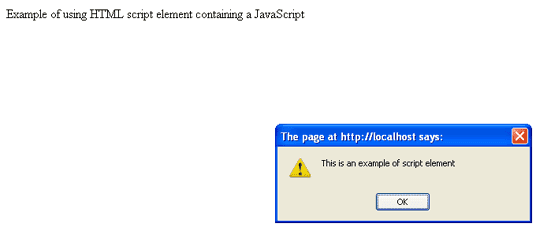
Example of using HTML script element containing a JavaScript
<!DOCTYPE HTML PUBLIC "-//W3C//DTD HTML 4.01//EN" "http://www.w3.org/TR/html4/strict.dtd">
<html>
<head profile="https://www.w3resource.com/profiles.html" >
<meta http-equiv="Content-Type" content="text/html; charset=iso-8859-1">
<title>Example of using HTML script element containing a JavaScript</title>
<script type="text/javascript">
function w3r(){
alert('This is an example of script element');
}

</script>
</head>
<body onload="w3r()" >
<p>Example of using HTML script element containing a JavaScript</p>
</body>
</html>
Result
View this example in a separate browser window
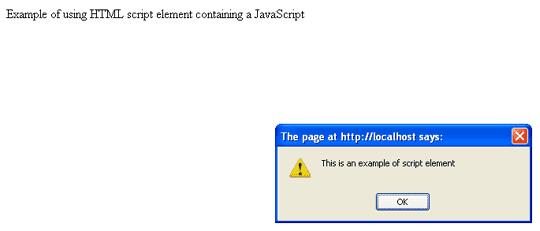
Example of using HTML script element referring an external JavaScript
JavaScript Code
/
function w3r(){
alert('This is an example of script element');
}
HTML Code
<!DOCTYPE HTML PUBLIC "-//W3C//DTD HTML 4.01//EN" "http://www.w3.org/TR/html4/strict.dtd">
<html>
<head profile="https://www.w3resource.com/profiles.html" >
<meta http-equiv="Content-Type" content="text/html; charset=iso-8859-1">
<title>Example of using HTML script element referring an external JavaScript</title>
<script type="text/javascript" src="../../html/script/w3r.js" >
</script>
</head>
<body onload="w3r()" >
<p>Example of using HTML script element containing a JavaScript</p>
</body>
</html>
Result
View this example in a separate browser window
Previous: HTML label tag and element
Next: HTML noscript tag and element
Test your Programming skills with w3resource's quiz.
- Weekly Trends and Language Statistics
- Weekly Trends and Language Statistics