MySQL LOCALTIMESTAMP() Function
LOCALTIMESTAMP() Function
MySQL LOCALTIMESTAMP returns the value of current date and time in ‘YYYY-MM-DD HH:MM:SS’ format or YYYMMDDHHMMSS.uuuuuu format depending on the context (numeric or string) of the function.
CURRENT_TIMESTAMP, CURRENT_TIMESTAMP(), NOW, NOW(), LOCALTIME, LOALTIME(), LOCALTIMESTAMP() are the synonyms of LOCALTIMESTAMP.
The LOCALTIMESTAMP returns the constant time when the statement began to work.
Note: Output of the examples of this page will depend on the current time.
This function is useful in -
- The function is used to display the current local date and time in user interfaces, providing users with real-time information.
- The function is used to generate datetime timestamp values that represent the current local date and time.
- LOCALTIMESTAMP() aids in scheduling tasks or events based on the local date and time, ensuring actions occur as intended.
- LOCALTIMESTAMP() enables time-based calculations and comparisons using the current local date and time.
- When debugging code that involves time-related logic, LOCALTIMESTAMP() helps track the current local date and time during testing.
- LOCALTIMESTAMP() is valuable for capturing and logging real-time timestamps in applications, helping to track events and activities.
- In systems that need to align processes with the local date and time, LOCALTIMESTAMP() ensures accurate timing of actions.
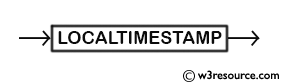
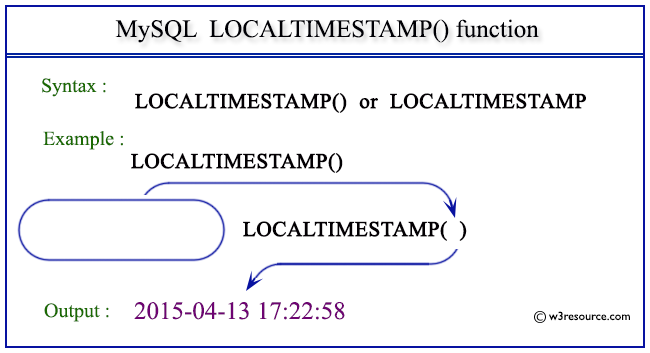
Syntax:
LOCALTIMESTAMP
Syntax Diagram:
MySQL Version: 8.0
Pictorial Presentation:
Example: MySQL LOCALTIMESTAMP
The following statement will return the current date and time in ‘YYYY-MM-DD HH:SS:MM’ format.
Code:
SELECT LOCALTIMESTAMP;
Output:
mysql> SELECT LOCALTIMESTAMP;
+---------------------+
| LOCALTIMESTAMP      |
+---------------------+
| 2015-04-13 17:15:16 |
+---------------------+
1 row in set (0.01 sec)
Example: LOCALTIMESTAMP in numeric format
The following statement will return the current date and time in ‘YYYY-MM-DD HH:SS:MM’ format as well as YYYYMMDDHHSSMM.uuuuuu format.
Code:
SELECT LOCALTIMESTAMP,LOCALTIMESTAMP+1;
Output:
mysql> SELECT LOCALTIMESTAMP,LOCALTIMESTAMP+1;
+---------------------+-----------------------+
| LOCALTIMESTAMP      | LOCALTIMESTAMP+1      |
+---------------------+-----------------------+
| 2015-04-13 17:17:50 | 20150413171751.000000 |
+---------------------+-----------------------+
1 row in set (0.00 sec)
Example: LOCALTIMESTAMP()
The following statement will return the current date and time in ‘YYYY-MM-DD HH:SS:MM’ format.
Code:
SELECT LOCALTIMESTAMP();
Output:
mysql> SELECT LOCALTIMESTAMP();
+---------------------+
| LOCALTIMESTAMP()    |
+---------------------+
| 2015-04-13 17:22:58 |
+---------------------+
1 row in set (0.00 sec)
Example : LOCALTIMESTAMP() in numeric format
The following statement will return the current date and time in ‘YYYY-MM-DD HH:SS:MM’ format as well as YYYYMMDDHHSSMM.uuuuuu format.
Code:
SELECT LOCALTIMESTAMP(),LOCALTIMESTAMP()+1;
Output:
mysql> SELECT LOCALTIMESTAMP(),LOCALTIMESTAMP()+1;
+---------------------+-----------------------+
| LOCALTIMESTAMP()    | LOCALTIMESTAMP()+1    |
+---------------------+-----------------------+
| 2015-04-13 17:21:17 | 20150413172118.000000 |
+---------------------+-----------------------+
1 row in set (0.00 sec)
Video Presentation:
All Date and Time Functions:
Click here to see the MySQL Date and time functions.
Previous: LOCALTIME()
Next: MAKEDATE()
- Weekly Trends and Language Statistics
- Weekly Trends and Language Statistics