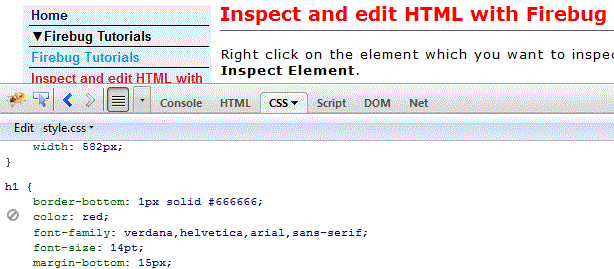
Inspect and edit CSS with Firebug
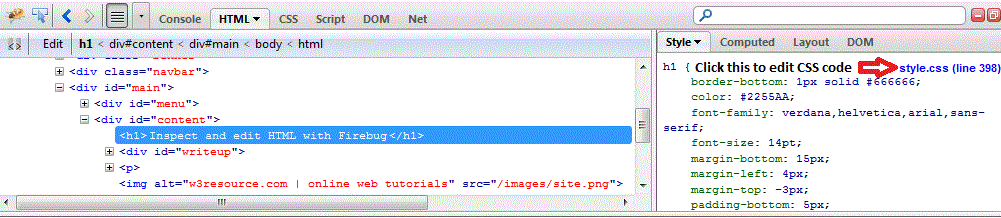
Right click on the element which you want to inspect and click on the Inspect Element. An then click as shown (scroll the image to right) in the image to open corresponding CSS code.
Change the color of the heading by changing the code to color:red;
You will see the effect live immediately. Now you can simple copy this and replace the original code and save to make the changes permanent.