MySQL CURTIME() function
CURTIME() function
In MySQL, the CURTIME() returns the value of current time in ‘HH:MM:SS’ format or HHMMSS.uuuuuu format depending on whether numeric or string is used in the function. CURRENT_TIME() and CURRENT_TIME are the synonym of CURTIME().
Note: All of the example codes of this page will produce outputs depending upon the current time.
This function is useful in -
- The primary purpose of the CURTIME() function is to provide a timestamp of the current time.
- CURTIME() is used to compare the current time with other times stored in the database.
- This is useful for filtering and querying data based on time intervals or specific moments in time.
- When scheduling tasks, events, or reminders in applications, CURTIME() ensures that the system records the exact current time and updates accordingly.
- In logging systems, CURTIME() is used to timestamp log entries, providing accurate information about when specific events occurred.
- In performance analysis, CURTIME() helps track the duration of specific operations or processes.
- When troubleshooting, CURTIME() can assist in pinpointing the exact time when issues or errors occurred.
Syntax:
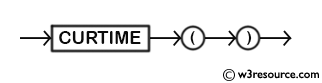
CURTIME();
Syntax Diagram:
MySQL Version: 8.0
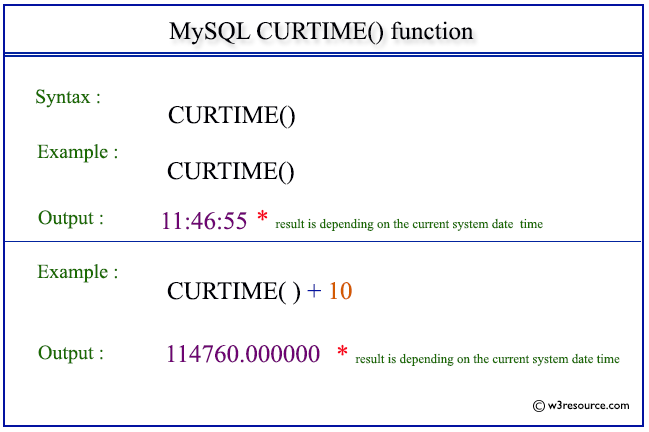
Pictorial Presentation:
Example: MySQL CURTIME() function
The following statement will return the current time in ‘HH:SS:MM’ format.
Code:
SELECT CURTIME();
Output:
mysql> SELECT CURTIME();
+-----------+
| CURTIME() |
+-----------+
| 11:46:55  |
+-----------+
1 row in set (0.00 sec)
Example: CURTIME() function with numeric format
The following statement will return the current time in HHMMSS.uuuuuu format. Because the context of the function is numeric.
Code:
SELECT CURTIME()+10;
Output:
mysql> SELECT CURTIME()+10;
+---------------+
| CURTIME()+10  |
+---------------+
| 114760.000000 |
+---------------+
1 row in set (0.01 sec)
Video Presentation:
All Date and Time Functions:
Click here to see the MySQL Date and time functions.
Previous: CURRENT_ TIMESTAMP()
Next: DATE_ADD()
- Weekly Trends and Language Statistics
- Weekly Trends and Language Statistics