
MySQL CURDATE() function
CURDATE() function
In MySQL the CURDATE() returns the current date in 'YYYY-MM-DD' format or 'YYYYMMDD' format depending on whether numeric or string is used in the function. CURRENT_DATE and CURRENT_DATE() are the synonym of CURDATE(). It's a simple but important function that serves various purposes in data manipulation, calculations, and record-keeping.
Note: All of the example codes of this page will produce outputs depending upon the current date.
This function is useful in -
- This is essential for recording when events, transactions, or changes occur in a database.
- This is useful for filtering and querying data based on time intervals or date ranges.
- When calculating ages, especially in combination with birthdates, CURDATE() helps determine the current age of individuals.
- When scheduling tasks or events in applications, CURDATE() ensures that the system records the correct current date and time.
- In logging systems, CURDATE() is used to timestamp log entries, aiding in tracking events and troubleshooting.
- CURDATE() is helpful for creating audit trails by recording when specific actions were performed in the database.
Syntax:
CURDATE ()
Syntax Diagram:

MySQL Version: 8.0
Pictorial Presentation
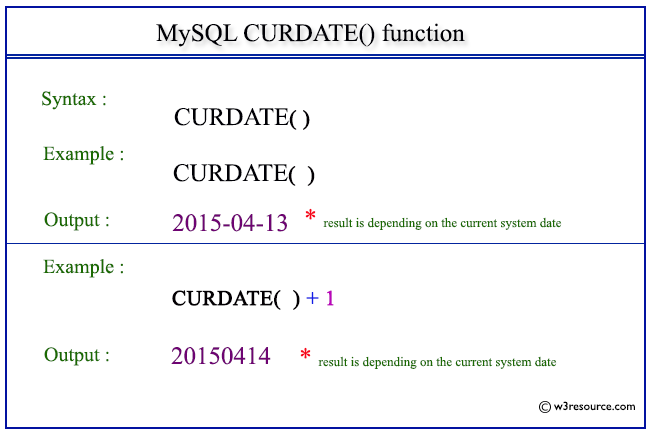
Example: MySQL CURDATE() function
The following statement will return the current date in ‘YYYY-MM-DD’ format.
Code:
SELECT CURDATE();
Output:
mysql> SELECT CURDATE();
+------------+
| CURDATE()  |
+------------+
| 2015-04-13 |
+------------+
1 row in set (0.01 sec)
Example: CURDATE() function in numeric format
The following statement will return the current date in 'YYYYMMDD' format. Because the context of the function is numeric.
Code:
SELECT CURDATE()+1;
Output:
mysql> SELECT CURDATE()+1;
+-------------+
| CURDATE()+1 |
+-------------+
|    20150414 |
+-------------+
1 row in set (0.02 sec)
Video Presentation
All Date and Time Functions:
Click here to see the MySQL Date and time functions.
Previous: CONVERT_TZ()
Next: CURRENT_DATE()