
SQL Exercise: Display the department name, city for each department
9. From the following tables, write a SQL query to display the department name, city, and state province for each department.
Sample table: departments
+---------------+----------------------+------------+-------------+
| DEPARTMENT_ID | DEPARTMENT_NAME      | MANAGER_ID | LOCATION_ID |
+---------------+----------------------+------------+-------------+
|            10 | Administration       |        200 |        1700 |
|            20 | Marketing            |        201 |        1800 |
|            30 | Purchasing           |        114 |        1700 |
|            40 | Human Resources      |        203 |        2400 |
|            50 | Shipping             |        121 |        1500 |
|            60 | IT                   |        103 |        1400 |
|            70 | Public Relations     |        204 |        2700 |
|            80 | Sales                |        145 |        2500 |
|            90 | Executive            |        100 |        1700 |
|           100 | Finance              |        108 |        1700 |
......
|           270 | Payroll              |          0 |        1700 |
+---------------+----------------------+------------+-------------+
Sample table: locations
+-------------+------------------------------------------+-------------+---------------------+-------------------+------------+
| LOCATION_ID | STREET_ADDRESS                           | POSTAL_CODE | CITY                | STATE_PROVINCE    | COUNTRY_ID |
+-------------+------------------------------------------+-------------+---------------------+-------------------+------------+
|        1000 | 1297 Via Cola di Rie                     | 989         | Roma                |                   | IT         |
|        1100 | 93091 Calle della Testa                  | 10934       | Venice              |                   | IT         |
|        1200 | 2017 Shinjuku-ku                         | 1689        | Tokyo               | Tokyo Prefecture  | JP         |
|        1300 | 9450 Kamiya-cho                          | 6823        | Hiroshima           |                   | JP         |
|        1400 | 2014 Jabberwocky Rd                      | 26192       | Southlake           | Texas             | US         |
|        1500 | 2011 Interiors Blvd                      | 99236       | South San Francisco | California        | US         |
|        1600 | 2007 Zagora St                           | 50090       | South Brunswick     | New Jersey        | US         |
|        1700 | 2004 Charade Rd                          | 98199       | Seattle             | Washington        | US         |
|        1800 | 147 Spadina Ave                          | M5V 2L7     | Toronto             | Ontario           | CA         |
|        1900 | 6092 Boxwood St                          | YSW 9T2     | Whitehorse          | Yukon             | CA         |
........
|        3200 | Mariano Escobedo 9991                    | 11932       | Mexico City         | Distrito Federal, | MX         |
+-------------+------------------------------------------+-------------+---------------------+-------------------+------------+
Sample Solution:
-- Selecting specific columns (D.department_name, L.city, L.state_province) from the 'departments' table, aliased as 'D', and the 'locations' table, aliased as 'L'
SELECT D.department_name, L.city, L.state_province

-- Performing an INNER JOIN between the 'departments' table (aliased as 'D') and the 'locations' table (aliased as 'L') based on the 'location_id' column
FROM departments D

JOIN locations L
  ON D.location_id = L.location_id;
Sample Output:
department_name		city	state_province
Administration		Seattle	Washington
Marketing		Toronto	Ontario
Purchasing		Seattle	Washington
Human 	Resources	London
Shipping	South San Francisco	California
IT			Southlake  Texas
Public 	Relations	Munich	Bavaria
Sales			OX9 9ZB	Oxford
Executive		Seattle	Washington
Finance			Seattle	Washington
Accounting		Seattle	Washington
Treasury		Seattle	Washington
Corporate Tax 		Seattle	Washington
Control And Credit	Seattle	Washington
Shareholder Services	Seattle	Washington
Benefits		Seattle	Washington
Manufacturing		Seattle	Washington
Construction		Seattle	Washington
Contracting		Seattle	Washington
Operations		Seattle	Washington
IT Support		Seattle	Washington
NOC			Seattle	Washington
IT Helpdesk		Seattle	Washington
Government Sales	Seattle	Washington
Retail Sales		Seattle	Washington
Recruiting		Seattle	Washington
Payroll			Seattle	Washington
Code Explanation:
The said query in SQL that retrieves the department name along with the city and state/province of the location associated with each department. It uses a join to match each department with its corresponding location based on the location ID in the departments table.
The resulting output will have three columns that is "department_name", "city", and "state_province". The "department_name" column will contain the name of each department, while the "city" and "state_province" columns will contain the city and state/province of the location associated with each department.
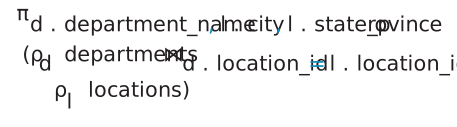
Relational Algebra Expression:
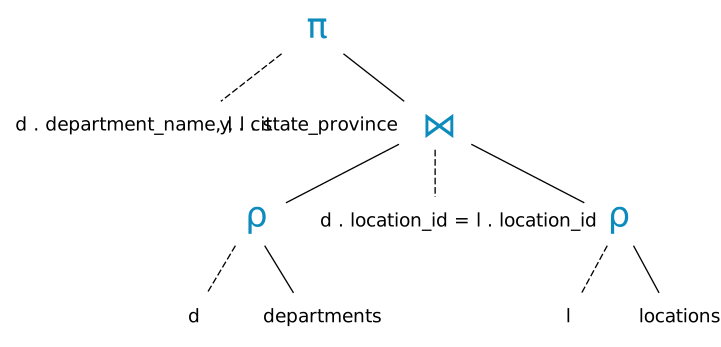
Relational Algebra Tree:
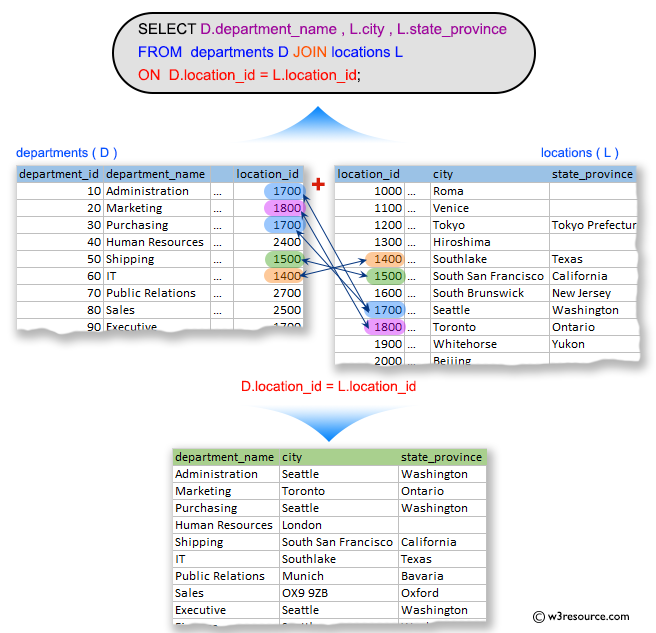
Visual Presentation:
Alternative Solutions:
Using WHERE Clause with Equality Check:
SELECT D.department_name, L.city, L.state_province
FROM departments D, locations L
WHERE D.location_id = L.location_id;
Using ANSI-92 JOIN Syntax:
SELECT D.department_name, L.city, L.state_province
FROM departments D
JOIN locations L ON D.location_id = L.location_id;
Using CROSS JOIN with WHERE Clause:
SELECT D.department_name, L.city, L.state_province
FROM departments D
CROSS JOIN locations L
WHERE D.location_id = L.location_id;
Go to:
PREV : Employees including the first name of their manager.
NEXT : Display employees who have or have not any department.
Practice Online
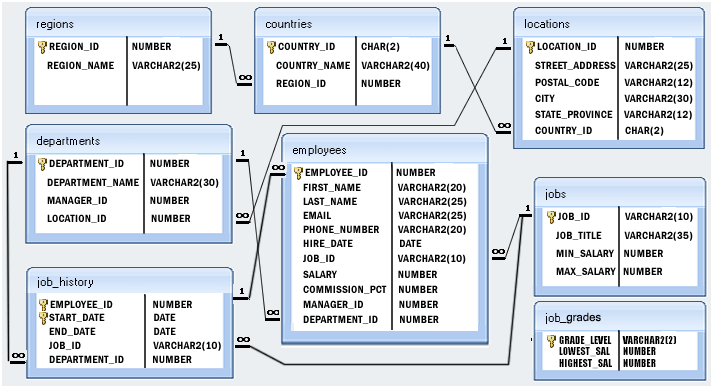
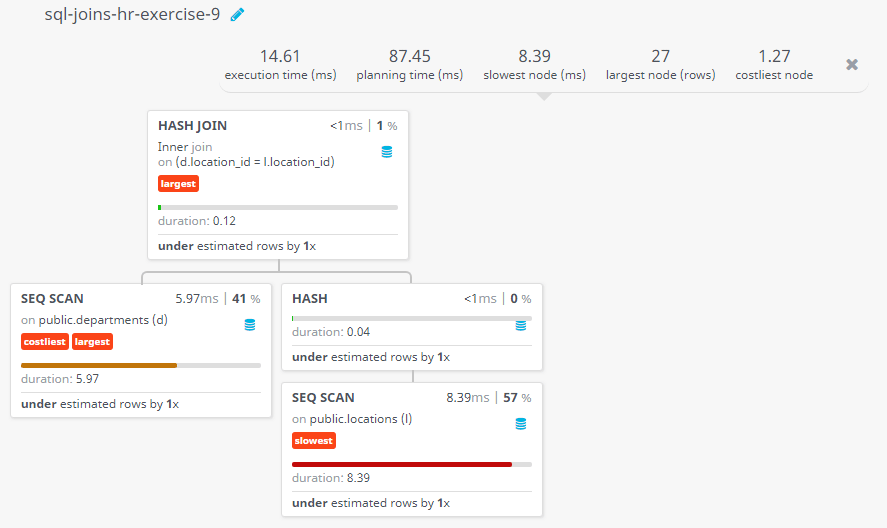
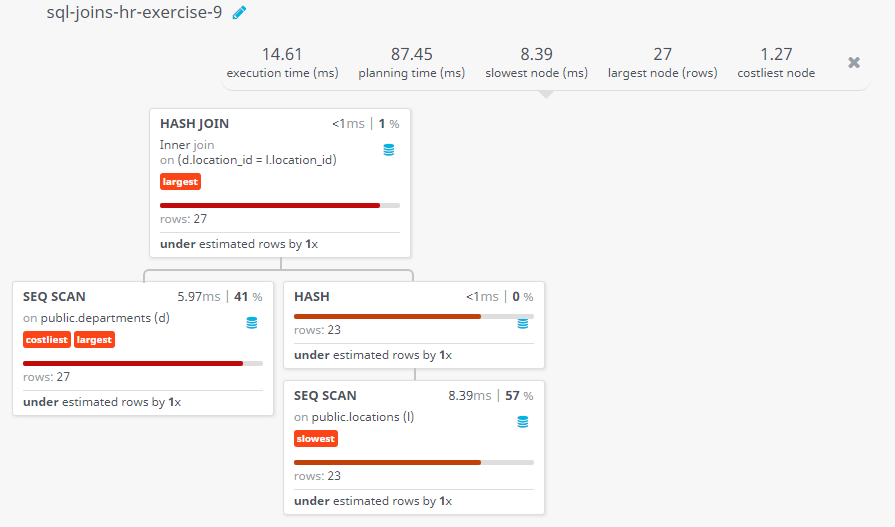
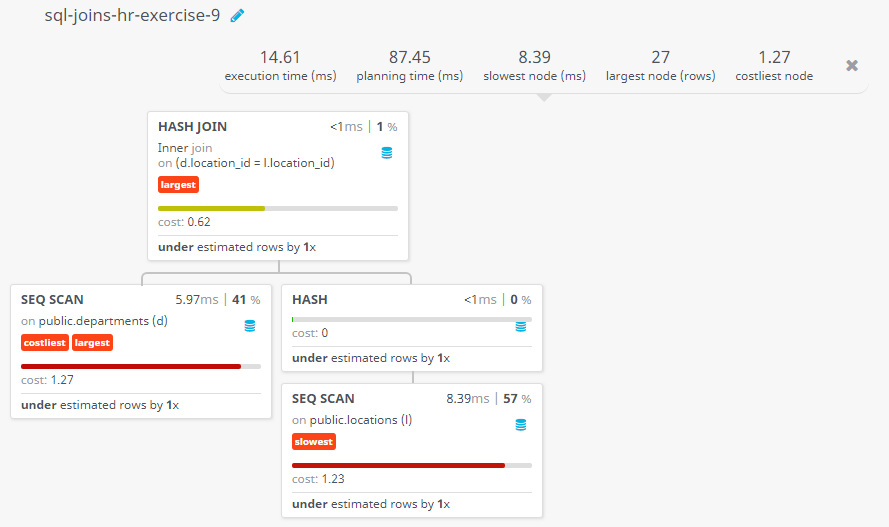
Query Visualization:
Duration:
Rows:
Cost:
Have another way to solve this solution? Contribute your code (and comments) through Disqus.
What is the difficulty level of this exercise?
Test your Programming skills with w3resource's quiz.