
MySQL Create Database
What is a database?
When an amount of data is stored in an organized way, that is called a database.
In computers, a database is managed by a software called Database Management System.
What is a table?
A table is a set of data values. These values are organized using vertical columns and horizontal rows. Columns are identified by their names.
Contents:
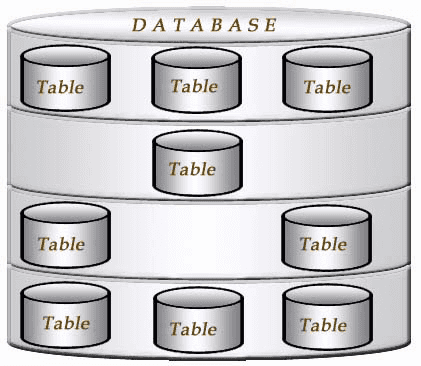
Pictorial representation of a database with tables
MySQL create database
In MySQL, CREATE DATABASE statement creates a database with the given name. To use this statement, you must have the CREATE privilege for the database. You will get an error if the database exists and you did not specify IF NOT EXISTS clause.
Limits on Number of Databases: MySQL has no limit on the number of databases. The underlying file system may have a limit on the number of directories.
CREATE SCHEMA is a synonym for CREATE DATABASE.
Syntax:
CREATE {DATABASE | SCHEMA} [IF NOT EXISTS] database_name
    [create_specification] ...

create_specification:
    [DEFAULT] CHARACTER SET [=] charset_name
  | [DEFAULT] COLLATE [=] collation_name
Where
- database_name is the name of the new database.
- Rules for valid database names are given in MySQL language structure "Schema Object Names" section.
- create_specification options specify database characteristics.
- The CHARACTER SET clause specifies the default database character set.
Example:
The following statement creates 'bookinfo' database.
-- Create a new database named bookinfo
CREATE DATABASE bookinfo;
Explanation:
- The SQL command CREATE DATABASE is used to create a new database in MySQL.
- bookinfo is the name of the database being created.
The database names are case sensitive under Unix but this restriction does not apply in Windows. This is also true for table names. The best practice is to use same letter case for creating a database as well as a table.
Note: A database which has just been created is not current database. The user must have to instruct to make it the current database. A database needs to be created only once but a user must have to select it each time he intends to work with that database.
MySQL: Setting the Default Database
MySQL use statement is used to change the database from default to the given database.
Syntax:
use [database_name];
MySQL show database
SHOW statement displays a list of currently existing databases on the server.
Syntax:
SHOW [expression];
Example:
The following MySQL statement will show the current database.
-- Display a list of all databases in the MySQL server
SHOW DATABASES;
Explanation:
- The SQL command SHOW DATABASES is used to retrieve a list of all databases stored on the MySQL server.
- DATABASES is a keyword indicating that the command is related to databases.
The list of databases shown bellow by the statement may be different to the other user's machine. SHOW DATABASES does not show databases for those you don't have SHOW DATABASES privilege.
Sample Output:
MySQL> show databases;
+--------------------+
| Database           |
+--------------------+
| information_schema |
| bookinfo           |
| MySQL              |
| test               |
+--------------------+
4 rows in set (0.01 sec)
MySQL select database
MySQL select database statement is used to see which database is currently selected.
Syntax:
SELECT [expression];
Example:
The following MySQL statement will show the current database.
-- Retrieve the name of the current database being used
SELECT DATABASE();
Explanation:
- The SQL function DATABASE() is used to retrieve the name of the currently selected database.
- SELECT is a keyword indicating that data will be retrieved from the database.
Sample Output:
MySQL> select database();
+------------+
| database() |
+------------+
| bookinfo   |
+------------+
1 row in set (0.03 sec)
MySQL show tables statement
MySQL 'show tables' statement displays a list of the tables in the database in use. If there is no table in the database, it returns empty rows.
Syntax:
SHOW [expression];
Example:
The following statement displays the list of tables in the database 'bookinfo'.
-- Display a list of all tables in the current database
SHOW TABLES;
Explanation:
- The SQL command SHOW TABLES is used to retrieve a list of all tables within the currently selected database.
- TABLES is a keyword indicating that the command is related to tables.
Sample Output:
MySQL> show tables;
+--------------------+
| Tables_in_bookinfo |
+--------------------+
| author             |
| book_mast          |
| category           |
| despatch           |
| newpublisher       |
| order              |
| publisher          |
| purchase           |
| tempdate           |
| testtable          |
+--------------------+
10 rows in set (0.03 sec)
MySQL SHOW CREATE DATABASE
Shows the CREATE DATABASE statement that creates the given database. If the SHOW statement includes an IF NOT EXISTS clause, the output to includes such a clause. SHOW CREATE SCHEMA is a synonym for SHOW CREATE DATABASE.
Syntax:
SHOW CREATE {DATABASE | SCHEMA} [IF NOT EXISTS] db_name
Example:
The following statement shows the create database statement of 'world' database.
-- Display the SQL statement that would create the specified database 'world'
SHOW CREATE DATABASE world;
Explanation:
- The SQL command SHOW CREATE DATABASE is used to display the SQL statement that would create the specified database.
- world is the name of the database for which we want to see the creation SQL statement.
Sample Output:
MySQL> show create database world;
+----------+------------------------------------------------------------------+
| Database | Create Database                                                  |
+----------+------------------------------------------------------------------+
| world    | CREATE DATABASE `world` /*!40100 DEFAULT CHARACTER SET latin1 */ |
+----------+------------------------------------------------------------------+
1 row in set (0.00 sec)
Find MySQL database size
Following query show you the database size in MySQL.
-- Select the table_schema aliasing it as "Database" and calculate the total size of each database in MB
SELECT table_schema "Database",
-- Calculate the total size of data and index for each database, and convert it to MB
SUM(data_length + index_length)/1024/1024 "Size in MB"
-- Retrieve data from the information_schema.TABLES table
FROM information_schema.TABLES
-- Group the results by the table_schema (i.e., the database)
GROUP BY table_schema;
Explanation:
- The SQL command SELECT is used to retrieve data from a database.
- table_schema is selected and aliased as "Database" to represent the names of the databases in the result set.
- The expression SUM(data_length + index_length)/1024/1024 calculates the total size of data and indexes for each database and converts it to MB.
- The calculation involves summing up the data length and index length for all tables within each database and then converting the result from bytes to MB.
- The FROM clause specifies the source table, information_schema.TABLES, from which data will be retrieved.
- The GROUP BY clause groups the results by the table_schema, which effectively groups the data by database.
Sample Output:
+--------------------+-------------+
| Database           | Size in MB  |
+--------------------+-------------+
| bupf               | 20.09464169 |
| hr                 |  0.28685379 |
| information_schema |  0.00976563 |
| mucemppf           |  4.50534534 |
| MySQL              |  2.43705654 |
| performance_schema |  0.00000000 |
| sakila             |  6.57598877 |
| sample             |  0.73437500 |
| test               |  0.06250000 |
| tutorial           |  0.02406311 |
| world              |  0.43582153 |
+--------------------+-------------+
11 rows in set (0.17 sec)
Find all the tables in a MySQL database with specific column names in them
The following statement shows all the tables in 'hr' database.
Sample Output:
MySQL> USE hr;
Database changed
MySQL> SHOW TABLES;
+-----------------+
| Tables_in_hr    |
+-----------------+
| account         |
| alluser         |
| departments     |
| emp_details     |
| job_history     |
| jobs            |
| locations       |
| log_emp_details |
| my_v1           |
| my_v2           |
| my_v3           |
| my_view         |
| new_view        |
| regions         |
| user            |
+-----------------+
22 rows in set (0.00 sec)
The following statement shows all the tables in 'hr' database with columns 'name' or 'department_id'.
-- Select distinct table names from the INFORMATION_SCHEMA.COLUMNS table
SELECT DISTINCT TABLE_NAME
-- Specify the source table as INFORMATION_SCHEMA.COLUMNS and select the column TABLE_NAME
FROM INFORMATION_SCHEMA.COLUMNS
-- Filter rows where the COLUMN_NAME is either 'department_id' or 'name' and the TABLE_SCHEMA is 'hr'
WHERE COLUMN_NAME IN ('department_id', 'name')
AND TABLE_SCHEMA='hr';
Explanation:
- The SQL command SELECT is used to retrieve data from a database.
- DISTINCT is used to ensure that only unique values of TABLE_NAME are returned in the result set.
- TABLE_NAME is the column selected from the INFORMATION_SCHEMA.COLUMNS table.
- The FROM clause specifies the source table as INFORMATION_SCHEMA.COLUMNS from which data will be retrieved.
- The WHERE clause filters the rows where the COLUMN_NAME is either 'department_id' or 'name' and the TABLE_SCHEMA is 'hr'.
- COLUMN_NAME IN ('department_id', 'name') specifies the condition for the column names to be either 'department_id' or 'name'.
- AND TABLE_SCHEMA='hr' further filters the results to only include tables from the 'hr' database schema.
Sample Output:
+-------------+
| TABLE_NAME  |
+-------------+
| departments |
| job_history |
| my_v2       |
| my_v3       |
| my_view     |
| user        |
+-------------+
7 rows in set (0.04 sec)
See also: MySQL DROP DATABASE
Previous: Connecting to and disconnecting from MySQL
Next: MySQL CREATE TABLE