
MySQL CONCAT() function
CONCAT() function
The CONCAT() function in MySQL is a versatile tool used for string concatenation. It allows you to combine two or more strings into a single string. This function is especially useful for data formatting, combining fields, and creating readable outputs from data.
Key Points:
- You can pass multiple arguments to the CONCAT() function. These arguments can be strings, numbers, or expressions.
- If any argument is NULL, the result of the CONCAT() function will also be NULL.
- The function returns a nonbinary string if all arguments are nonbinary.
- It returns a binary string if any of the arguments are binary.
- Numeric arguments are implicitly converted to their equivalent nonbinary string form before concatenation.
This function is useful in -
- String concatenation: It allows us to join multiple strings together into a single string.
- Data formatting: CONCAT() can be used to format and present data in a desired format.
- Expression evaluation: The CONCAT() function can also be used to concatenate the result of expressions or functions.
Practical Applications:
- Use CONCAT() to combine multiple columns into a single output, which can be useful for creating full names, addresses, or other combined fields.
- You can use CONCAT() with other functions to create conditional outputs or formatted strings.
- Use the CONCAT() function within queries to generate customized outputs directly from the database.
Syntax:
CONCAT (string1, string2,…)
Arguments:
| Name | Description |
|---|---|
| string1 | First string to be joined. |
| string2 | Second string to be joined. Up to N number of strings can be specified this way. |
Syntax Diagram:

MySQL Version: 8.0
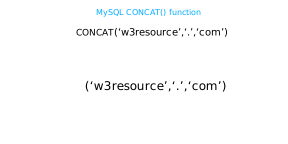
Pictorial representation of MySQL CONCAT() function
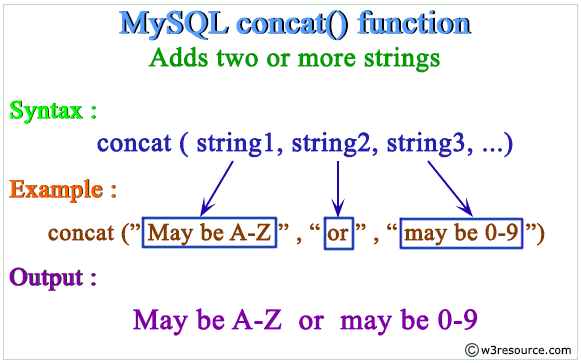
Examples: MySQL Concat() Function
Table of Contents :
Example of MySQL Concat Function using agruments
One argument:
mysql> SELECT CONCAT('w3resource');
+----------------------+
| CONCAT('w3resource') |
+----------------------+
| w3resource           |
+----------------------+
1 row in set (0.00 sec)
Two or more arguments:
mysql> SELECT CONCAT('w3resource','.','com');
+--------------------------------+
| CONCAT('w3resource','.','com') |
+--------------------------------+
| w3resource.com                 |
+--------------------------------+
1 row in set (0.00 sec)
One of the arguments is NULL :
mysql> SELECT CONCAT('w3resource','.','com',NULL);
+-------------------------------------+
| CONCAT('w3resource','.','com',NULL) |
+-------------------------------------+
| NULL                                |
+-------------------------------------+
1 row in set (0.02 sec)
Numeric argument:
mysql> SELECT CONCAT(102.33);
+----------------+
| CONCAT(102.33) |
+----------------+
| 102.33         |
+----------------+
1 row in set (0.00 sec)
For quoted strings, concatenation can be performed by placing the strings next to each other :
mysql> SELECT 'w3resource' '.' 'com';
+----------------+
| w3resource     |
+----------------+
| w3resource.com |
+----------------+
1 row in set (0.00 sec)
Example of MySQL CONCAT() function on columns
The following MySQL statement will add values of pub_city column with values of the country column of publisher table placing a '-->' between them.
Sample table: publisher
+--------+------------------------------+-----------+-----------+----------------+--------------+------------+
| pub_id | pub_name                     | pub_city  | country   | country_office | no_of_branch | estd       |
+--------+------------------------------+-----------+-----------+----------------+--------------+------------+
| P001   | Jex Max Publication          | New York  | USA       | New York       |           15 | 1969-12-25 |
| P002   | BPP Publication              | Mumbai    | India     | New Delhi      |           10 | 1985-10-01 |
| P003   | New Harrold Publication      | Adelaide  | Australia | Sydney         |            6 | 1975-09-05 |
| P004   | Ultra Press Inc.             | London    | UK        | London         |            8 | 1948-07-10 |
| P005   | Mountain Publication         | Houstan   | USA       | Sun Diego      |           25 | 1975-01-01 |
| P006   | Summer Night Publication     | New York  | USA       | Atlanta        |           10 | 1990-12-10 |
| P007   | Pieterson Grp. of Publishers | Cambridge | UK        | London         |            6 | 1950-07-15 |
| P008   | Novel Publisher Ltd.         | New Delhi | India     | Bangalore      |           10 | 2000-01-01 |
+--------+------------------------------+-----------+-----------+----------------+--------------+------------+
Code:
-- Select and format city and country from the 'publisher' table
SELECT
  -- Combine 'pub_city', a fixed string '--> ', and 'country' into one string
  CONCAT(pub_city, '--> ', country)
-- Specify the table to retrieve data from
FROM publisher;
Explanation:
- Function: This query retrieves and combines the pub_city and country columns from the publisher table.
- Formatting: The CONCAT function merges the city (pub_city), a separator '--> ', and the country (country) into a single string.
- Output Example: If pub_city is 'Paris' and country is 'France', the result will be 'Paris--> France'.
Output:
mysql> SELECT CONCAT(pub_city,'--> ',country)
    -> FROM publisher;
+---------------------------------+
| CONCAT(pub_city,'--> ',country) |
+---------------------------------+
| New York--> USA                 |
| Mumbai--> India                 |
| Adelaide--> Australia           |
| London--> UK                    |
| Houstan--> USA                  |
| New York--> USA                 |
| Cambridge--> UK                 |
| New Delhi--> India              |
+---------------------------------+
8 rows in set (0.00 sec)
MySQL CONCAT using WHERE clause
The following MySQL statement will add pub_city and country column by a '-->' for those publishers whose concatinated name and country office is 'Ultra Press Inc. London'
Code:
Sample table: publisher
+--------+------------------------------+-----------+-----------+----------------+--------------+------------+
| pub_id | pub_name                     | pub_city  | country   | country_office | no_of_branch | estd       |
+--------+------------------------------+-----------+-----------+----------------+--------------+------------+
| P001   | Jex Max Publication          | New York  | USA       | New York       |           15 | 1969-12-25 |
| P002   | BPP Publication              | Mumbai    | India     | New Delhi      |           10 | 1985-10-01 |
| P003   | New Harrold Publication      | Adelaide  | Australia | Sydney         |            6 | 1975-09-05 |
| P004   | Ultra Press Inc.             | London    | UK        | London         |            8 | 1948-07-10 |
| P005   | Mountain Publication         | Houstan   | USA       | Sun Diego      |           25 | 1975-01-01 |
| P006   | Summer Night Publication     | New York  | USA       | Atlanta        |           10 | 1990-12-10 |
| P007   | Pieterson Grp. of Publishers | Cambridge | UK        | London         |            6 | 1950-07-15 |
| P008   | Novel Publisher Ltd.         | New Delhi | India     | Bangalore      |           10 | 2000-01-01 |
+--------+------------------------------+-----------+-----------+----------------+--------------+------------+
Output:
-- Select and format city and country from the 'publisher' table
SELECT
  -- Combine 'pub_city' and 'country' into one string with an arrow in between
  CONCAT(pub_city, '--> ', country)
-- Specify the 'publisher' table as the source of data
FROM publisher
-- Filter results to include only rows where 'pub_name' and 'country_office' match "Ultra Press Inc. London"
WHERE CONCAT(pub_name, ' ', country_office) = "Ultra Press Inc. London";
Explanation:
- Function: This query retrieves and combines the pub_city and country columns from the publisher table into a formatted string.
- Filtering: It filters the results to show only those rows where the concatenated pub_name and country_office match "Ultra Press Inc. London".
- Output Example: If the pub_city is 'London' and country is 'UK' for the matching publisher, the result will be 'London--> UK'.
mysql> SELECT CONCAT(pub_city,'--> ',country)
    -> FROM publisher
    -> WHERE CONCAT(pub_name,' ',country_office)="Ultra Press Inc. London";
+---------------------------------+
| CONCAT(pub_city,'--> ',country) |
+---------------------------------+
| London--> UK                    |
+---------------------------------+
1 row in set (0.02 sec)
MySQL CONCAT returns NULL if any field contain NULL
The following MySQL statement will add book name and pub_lang column by a '-->' for all the books.
Sample table: book_mast
+---------+-------------------------------------+-------------+---------+--------+--------+------------+----------+---------+------------+
| book_id | book_name                           | isbn_no     | cate_id | aut_id | pub_id | dt_of_pub  | pub_lang | no_page | book_price |
+---------+-------------------------------------+-------------+---------+--------+--------+------------+----------+---------+------------+
| BK001   | Introduction to Electrodynamics     | 0000979001  | CA001   | AUT001 | P003   | 2001-05-08 | English  |     201 |      85.00 |
| BK002   | Understanding of Steel Construction | 0000979002  | CA002   | AUT002 | P001   | 2003-07-15 | English  |     300 |     105.50 |
| BK003   | Guide to Networking                 | 0000979003  | CA003   | AUT003 | P002   | 2002-09-10 | Hindi    |     510 |     200.00 |
| BK004   | Transfer  of Heat and Mass          | 0000979004  | CA002   | AUT004 | P004   | 2004-02-16 | English  |     600 |     250.00 |
| BK005   | Conceptual Physics                  | 0000979005  | CA001   | AUT005 | P006   | 2003-07-16 | NULL     |     345 |     145.00 |
| BK006   | Fundamentals of Heat                | 0000979006  | CA001   | AUT006 | P005   | 2003-08-10 | German   |     247 |     112.00 |
| BK007   | Advanced 3d Graphics                | 0000979007  | CA003   | AUT007 | P002   | 2004-02-16 | Hindi    |     165 |      56.00 |
| BK008   | Human Anatomy                       | 0000979008  | CA005   | AUT008 | P006   | 2001-05-17 | German   |      88 |      50.50 |
| BK009   | Mental Health Nursing               | 0000979009  | CA005   | AUT009 | P007   | 2004-02-10 | English  |     350 |     145.00 |
| BK010   | Fundamentals of Thermodynamics      | 0000979010  | CA002   | AUT010 | P007   | 2002-10-14 | English  |     400 |     225.00 |
... ... ...
+---------+-------------------------------------+-------------+---------+--------+--------+------------+----------+---------+------------+
Code:
-- Select and format book name and publication language from the 'book_mast' table
SELECT
  -- Combine 'book_name' and 'pub_lang' into one string with an arrow in between
  CONCAT(book_name, '--> ', pub_lang)
-- Specify the 'book_mast' table as the source of data
FROM book_mast;
Explanation:
- Function: This query retrieves data from the book_mast table.
- Formatting: It combines the book_name and pub_lang into a single string, separated by '--> '.
- Output: For example, if book_name is '1984' and pub_lang is 'English', the result will be '1984--> English'.
- Use Case: This is useful for displaying book names along with their publication languages in a clear, combined format.
Output:
mysql> SELECT CONCAT(book_name,'--> ',pub_lang)
    -> FROM book_mast;
+------------------------------------------------+
| CONCAT(book_name,'--> ',pub_lang)              |
+------------------------------------------------+
| Introduction to Electrodynamics--> English     |
| Understanding of Steel Construction--> English |
| Guide to Networking--> Hindi                   |
| Transfer  of Heat and Mass--> English          |
| <span class="style1">NULL</span>                                           |
| Fundamentals of Heat--> German                 |
| Advanced 3d Graphics--> Hindi                  |
| Human Anatomy--> German                        |
| Mental Health Nursing--> English               |
| Fundamentals of Thermodynamics--> English      |
| The Experimental Analysis of Cat--> French     |
| The Nature  of World--> English                |
| Environment a Sustainable Future--> German     |
| <span class="style1">NULL</span>                                           |
| Anatomy & Physiology--> Hindi                  |
| Networks and Telecommunications--> French      |
+------------------------------------------------+
16 rows in set (0.01 sec)
The above output shows that, when the value of any of the two columns mention above is NULL, the output returns NULL, mention by red color.
MySQL CONCAT using JOINS and wildcard character
The following MySQL statement will show the combination of first name and last name and job title for those employees who contains the word Smith to their first and last name combination.
Sample table: employees
| EMPLOYEE_ID | FIRST_NAME | LAST_NAME | PHONE_NUMBER | HIRE_DATE | JOB_ID | SALARY | COMMISSION_PCT | MANAGER_ID | DEPARTMENT_ID | |
|---|---|---|---|---|---|---|---|---|---|---|
| 100 | Steven | King | SKING | 515.123.4567 | 17-Jun-87 | AD_PRES | 24000 | 90 | ||
| 101 | Neena | Kochhar | NKOCHHAR | 515.123.4568 | 21-Sep-89 | AD_VP | 17000 | 100 | 90 | |
| 102 | Lex | De Haan | LDEHAAN | 515.123.4569 | 13-Jan-93 | AD_VP | 17000 | 100 | 90 | |
| 103 | Alexander | Hunold | AHUNOLD | 590.423.4567 | 3-Jan-90 | IT_PROG | 9000 | 102 | 60 | |
| 104 | Bruce | Ernst | BERNST | 590.423.4568 | 21-May-91 | IT_PROG | 6000 | 103 | 60 | |
| 105 | David | Austin | DAUSTIN | 590.423.4569 | 25-Jun-97 | IT_PROG | 4800 | 103 | 60 | |
| 106 | Valli | Pataballa | VPATABAL | 590.423.4560 | 5-Feb-98 | IT_PROG | 4800 | 103 | 60 | |
| 107 | Diana | Lorentz | DLORENTZ | 590.423.5567 | 7-Feb-99 | IT_PROG | 4200 | 103 | 60 | |
| 108 | Nancy | Greenberg | NGREENBE | 515.124.4569 | 17-Aug-94 | FI_MGR | 12000 | 101 | 100 | |
| 109 | Daniel | Faviet | DFAVIET | 515.124.4169 | 16-Aug-94 | FI_ACCOUNT | 9000 | 108 | 100 | |
| .............. | ||||||||||
| 206 | William | Gietz | WGIETZ | 515.123.8181 | 7-Jun-94 | AC_ACCOUNT | 8300 | 205 | 110 | |
Sample table: jobs
| JOB_ID | JOB_TITLE | MIN_SALARY | MAX_SALARY | |
|---|---|---|---|---|
| AD_PRES | President | 20000 | 40000 | |
| AD_VP | Administration Vice President | 15000 | 30000 | |
| AD_ASST | Administration Assistant | 3000 | 6000 | |
| FI_MGR | Finance Manager | 8200 | 16000 | |
| FI_ACCOUNT | Accountant | 4200 | 9000 | |
| AC_MGR | Accounting Manager | 8200 | 16000 | |
| AC_ACCOUNT | Public Accountant | 4200 | 9000 | |
| SA_MAN | Sales Manager | 10000 | 20000 | |
| SA_REP | Sales Representative | 6000 | 12000 | |
| .............. | ||||
| PR_REP | Public Relations Representative | 4500 | 10500 | |
Output:
Code:
-- Selects and formats employee names and their job titles from the 'employees' and 'jobs' tables
SELECT
  -- Combines 'first_name' and 'last_name' into one string, aliased as 'name'
  CONCAT(first_name, ' ', last_name) AS "name", job_title
-- Specifies 'employees' (aliased as 'e') and 'jobs' (aliased as 'j') as data sources
FROM employees e, jobs j
-- Filters results to include only rows where the employee's job ID matches the job ID in the 'jobs' table
WHERE e.job_id = j.job_id
-- Further filters to include only rows where the concatenated 'first_name' and 'last_name' contain 'Smith'
AND CONCAT(first_name, ' ', last_name) LIKE '%Smith%';
Explanation:
- Purpose: Retrieves and formats employee names and their job titles, specifically for employees whose names contain 'Smith'.
- Data Retrieval: Combines data from employees and jobs tables using an inner join.
- Filtering: Matches employee and job IDs between tables and filters further to include only employees with 'Smith' in their name.
- Output: Displays formatted employee names and their job titles.
- Use Case: Useful for quickly identifying and displaying job information for employees with a specific last name ('Smith').
mysql> SELECT CONCAT( first_name,  ' ', last_name ) AS  "name", job_title
    -> FROM employees e, jobs j
    -> WHERE e.job_id = j.job_id
    -> AND CONCAT( first_name,  ' ', last_name ) LIKE  '%Smith%';
+---------------+----------------------+
| name          | job_title            |
+---------------+----------------------+
| Lindsey Smith | Sales Representative |
| William Smith | Sales Representative |
+---------------+----------------------+
2 rows in set (0.00 sec)
Try the following Queries
Sample table: publisher
+--------+------------------------------+-----------+-----------+----------------+--------------+------------+
| pub_id | pub_name                     | pub_city  | country   | country_office | no_of_branch | estd       |
+--------+------------------------------+-----------+-----------+----------------+--------------+------------+
| P001   | Jex Max Publication          | New York  | USA       | New York       |           15 | 1969-12-25 |
| P002   | BPP Publication              | Mumbai    | India     | New Delhi      |           10 | 1985-10-01 |
| P003   | New Harrold Publication      | Adelaide  | Australia | Sydney         |            6 | 1975-09-05 |
| P004   | Ultra Press Inc.             | London    | UK        | London         |            8 | 1948-07-10 |
| P005   | Mountain Publication         | Houstan   | USA       | Sun Diego      |           25 | 1975-01-01 |
| P006   | Summer Night Publication     | New York  | USA       | Atlanta        |           10 | 1990-12-10 |
| P007   | Pieterson Grp. of Publishers | Cambridge | UK        | London         |            6 | 1950-07-15 |
| P008   | Novel Publisher Ltd.         | New Delhi | India     | Bangalore      |           10 | 2000-01-01 |
+--------+------------------------------+-----------+-----------+----------------+--------------+------------+
Write a SQL statement to display the publisher city and name according to the group on publisher city.
Write a SQL statement to display the publisher city and name and country office with a suitable title for those publishers which country office and publishing city are in the same place.
Write a SQL statement to display the publisher name, country office and a maximum number of branches with the suitable title for those publishers who maintain on and above 15 branches worldwide.
Frequently Asked Questions (FAQ) - MySQL CONCAT Function
1. What is the MySQL CONCAT() function used for?
The CONCAT() function in MySQL is a versatile tool used for string concatenation. It allows you to combine two or more strings into a single string.
2. How many arguments can be passed to the MySQL CONCAT() function?
We can pass multiple arguments to the CONCAT() function. These arguments can be strings, numbers, or expressions.
3. What happens if any argument passed to MySQL CONCAT() is NULL?
If any argument passed to CONCAT() is NULL, the result of the CONCAT() function will also be NULL.
4. What type of string does the MySQL CONCAT() function return?
The CONCAT() function returns a nonbinary string if all arguments are nonbinary. It returns a binary string if any of the arguments are binary.
5. How are numeric arguments handled by the MySQL CONCAT() function?
Numeric arguments are implicitly converted to their equivalent nonbinary string form before concatenation.
6. What are the practical applications of the MySQL CONCAT() function?
String concatenation, data formatting, and expression evaluation are the main practical applications of the CONCAT() function.
7. Can MySQL CONCAT() be used for combining columns?
Yes, CONCAT() is commonly used to combine multiple columns into a single output, which is useful for creating full names, addresses, or other combined fields.
8. How can MySQL CONCAT() be used for conditional string formatting?
CONCAT() can be combined with other functions to create conditional outputs or formatted strings based on specific criteria.
9. Can MySQL CONCAT() be used within queries to customize outputs?
Yes, CONCAT() function can be used within queries to generate customized outputs directly from the database.
Want to practice more MySQL exercises? Click here to get three hundred plus exercises with solutions.
Video Presentation: